
Cinematic Morning Routine
A full morning unfolds through coordinated close-ups, wide shots, camera moves, natural sound, and one consistent character.
Create 4-30 second text-to-video and image-to-video clips in up to 1080p with first and last frames, as many as 50 multimodal references, and optional generated sound.
Seedance 2.5 quick specifications
Watch different motion, narrative, spatial, and reference-control examples, then copy the complete prompt structure into the Vuppo workspace.
Direct longer scenes with flexible inputs, precise local editing, controllable frames, high-resolution output, and optional generated sound in one Seedance workspace.
Build a more complete scene instead of stitching together several short clips. Vuppo supports Seedance 2.5 output from 4 to 30 seconds, adjustable in one-second steps.
Combine as many as 30 images, 10 videos, and 10 audio files in one request. Refer to the assets in your prompt to guide subjects, settings, motion, and sound.
Edit a specific part of a video instead of regenerating the entire clip. Swap a prop, replace the background, or change a character's clothing while preserving the original camera motion, lighting, and surrounding scene.
Choose 480p, 720p, or 1080p and use landscape, square, portrait, or vertical aspect ratios supported by the active workflow.
Generate sound in the same request when the scene needs ambience, movement, or spoken audio. Audio results depend on the prompt and source references.
Three steps from an idea or reference to a finished Seedance 2.5 video.
01
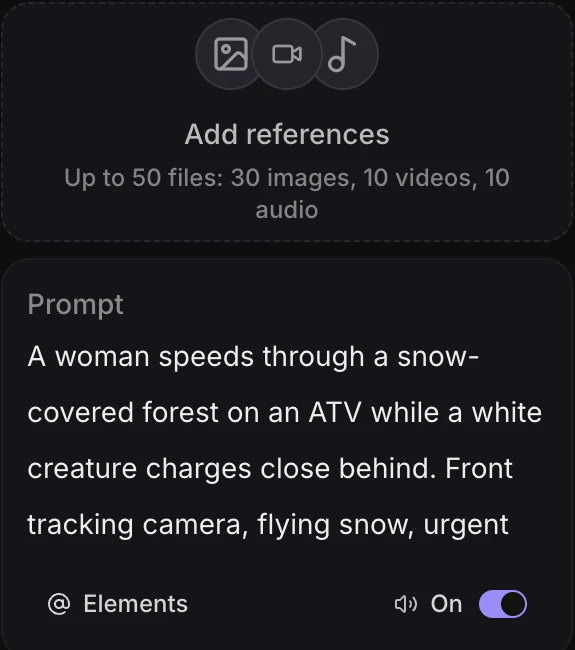
Open Create Video, select Seedance 2.5, and keep the References workflow active for a new generation.
02
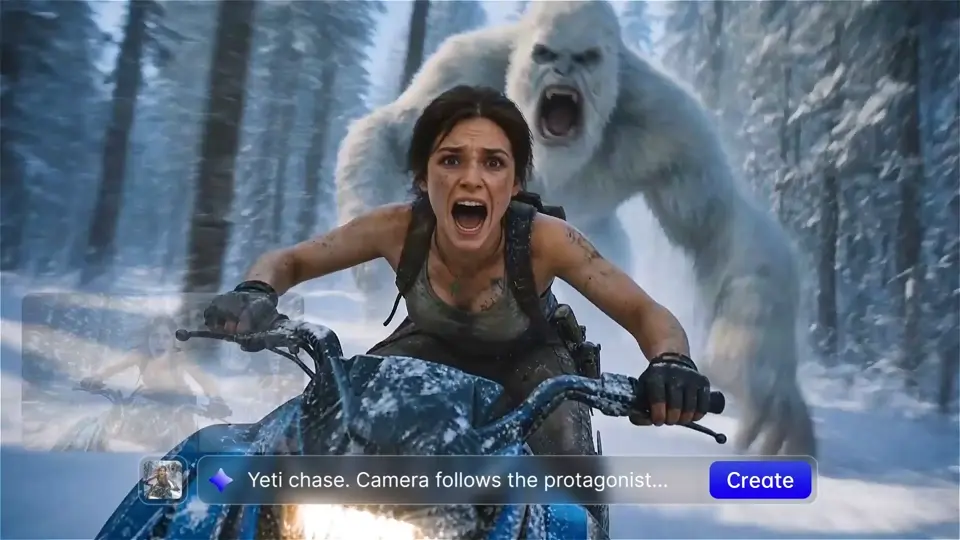
Describe the scene, camera, and pacing, then add any image, video, or audio references the model should follow.
03
Choose the output settings, generate the video, then download the result or continue refining it in Vuppo.
Seedance 2.5 works best when a scene needs more time, clear camera direction, or several visual and motion references working together.
Build product reveals, material close-ups, and short ad narratives with controlled camera motion and reference-led visual consistency.
Create with Seedance 2.5Use up to 30 seconds for action beats, establishing shots, atmosphere, and a complete narrative transition in one generation.
Create with Seedance 2.5Generate 9:16 creator clips, fashion motion, travel scenes, and campaign visuals designed for mobile-first publishing.
Create with Seedance 2.5Combine product, environment, character, video, and audio references to keep a creative direction consistent across a scene.
Create with Seedance 2.5Use these structures as starting points. Outputs still vary with references, duration, ratio, and generation settings.
These values reflect the model controls currently available in Vuppo, including the stricter limits enforced by the workspace.
A factual view of the controls exposed in Vuppo. Higher resolution does not automatically mean a better fit for every workflow.
| Capability | Seedance 2.5 | Seedance 2.0 | Kling 3.0 |
|---|---|---|---|
| Inputs | Text, first and last frames, image, video, and audio references | Text plus image, video, and audio references | Text plus first and last frames |
| Output duration | 4-30 seconds | 4-15 seconds | 3-15 seconds |
| Maximum resolution | 1080p | 4K for output from 4 to 10 seconds | 4K |
| Generated sound | Optional | Optional | Optional |
| Multi-shot | No | No | Yes |
| Distinctive controls | 1080p, longer output, and up to 50 references | Higher resolution and bitrate control | Frame control and multi-shot |
Comparison is based on model options currently exposed in Vuppo. Provider availability, limits, and pricing may change.
Vuppo calculates the exact credit cost when a request is submitted instead of publishing one fixed Seedance 2.5 price.
Seedance 2.5 is an AI video generation model available through Vuppo. Vuppo is an independent creative platform and does not present itself as the official Seedance website.
Yes. In the General workflow you can submit a text prompt without reference media, then choose duration, aspect ratio, resolution, and sound generation.
The current workspace accepts JPG, PNG, or WebP images, MP4 or MOV video, and MP3 or WAV audio. Seedance 2.5 supports up to 30 images, 10 videos, and 10 audio files, with 50 references total. Audio cannot be the only reference input.
The current Vuppo controls support output from 4 to 30 seconds, adjustable in one-second steps.
Seedance 2.5 output on Vuppo is available at 480p, 720p, or 1080p. The current workflow does not offer 4K output.
Yes. Sound generation is an optional setting and is enabled by default in the current workspace. This does not promise precise lip sync or a specific music result.
Adding a first frame locks the aspect ratio to Auto. An end frame can only be added when a first frame is already present.
The Extend option uses one source video as a reference for continued generation. It should not be interpreted as a guarantee of a seamless or frame-exact continuation.
Yes. Open the Vuppo AI Video workspace, select Seedance 2.5, add a prompt or reference media, and generate in your browser. An account and sufficient credits are required to submit a generation.
Vuppo quotes the exact credit cost before submission. The total changes with duration, resolution, aspect ratio, generated sound, and the length of referenced video files.
Open the Vuppo video workspace with Seedance 2.5 and the General workflow already selected.
Create with Seedance 2.5