Explore official examples of poster design, expressive layouts, cinematic scenes, and fine natural detail.
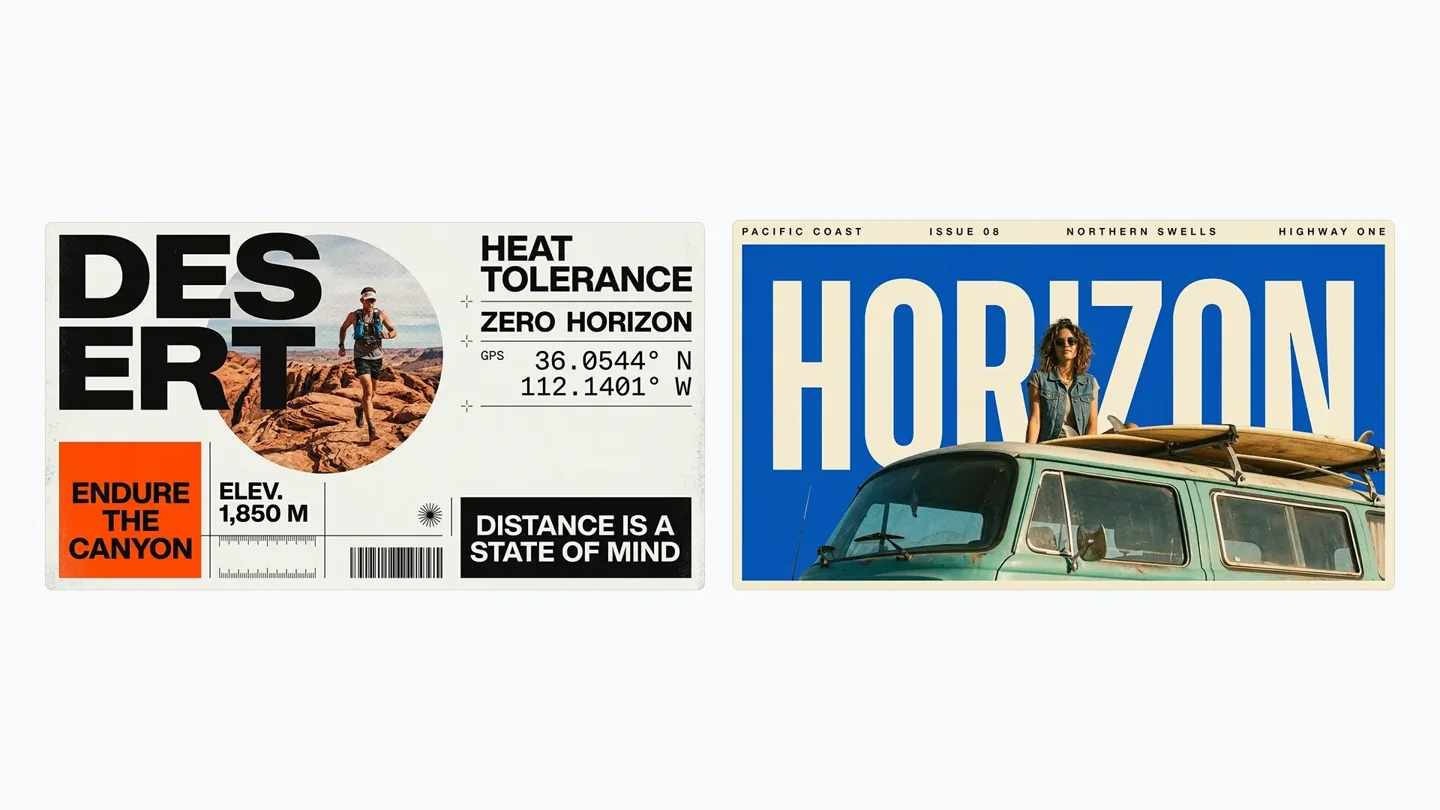
Posters & typography
Outdoor campaign posters combine photographs, large headlines, and supporting text into deliberate graphic layouts.
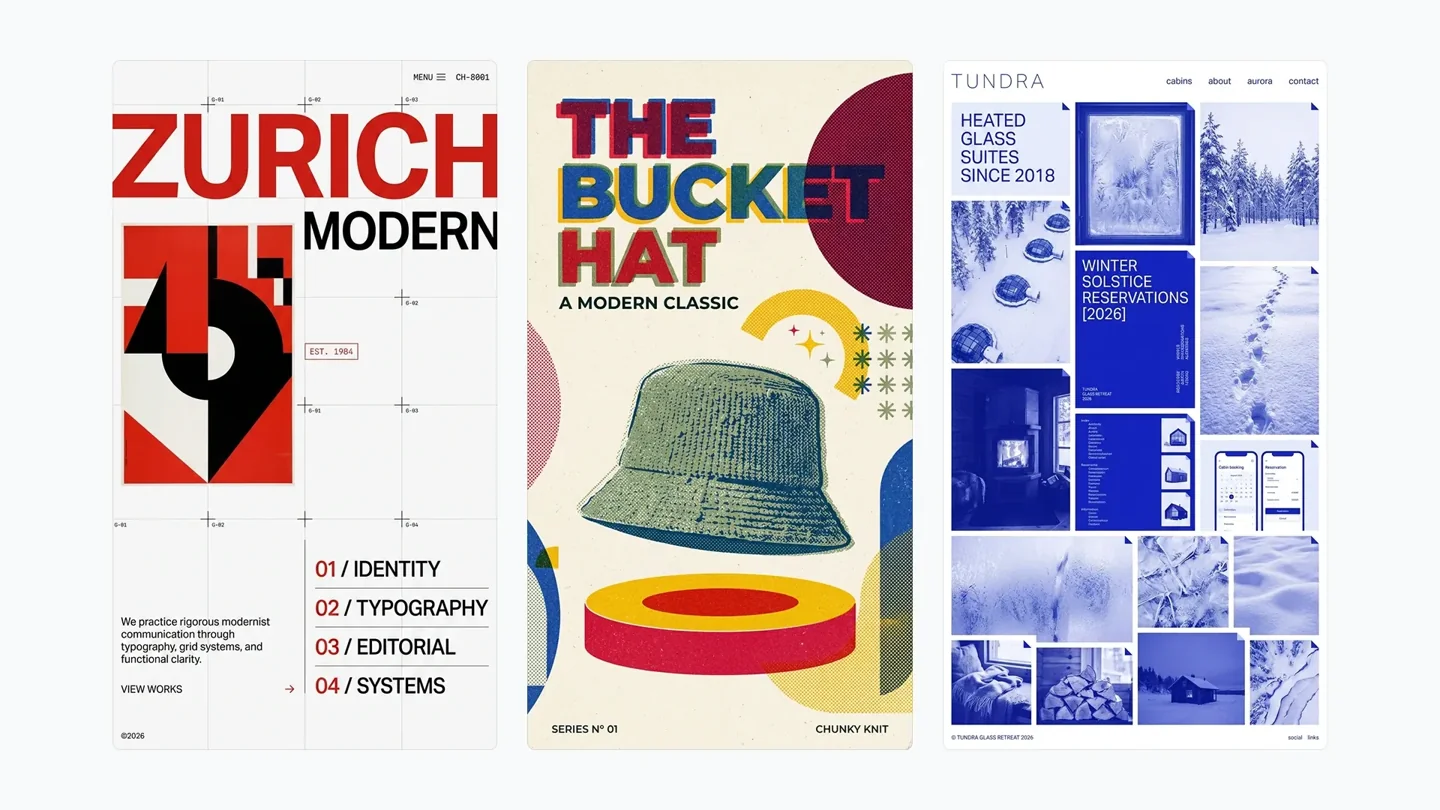
Visual design
Swiss-inspired grids, retro color, and a winter website concept show different ways to organize a visual brief.
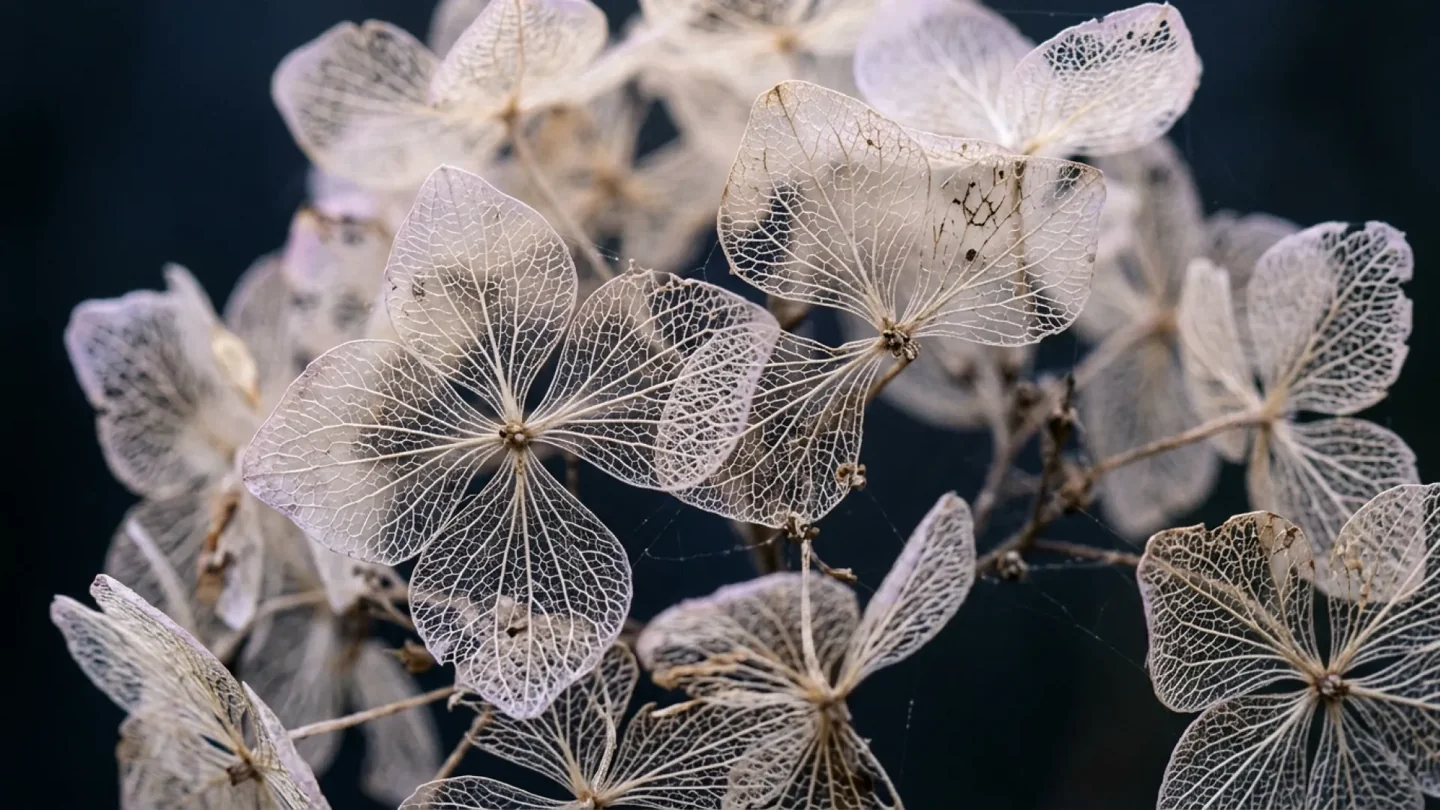
Natural detail
Delicate hydrangea veins and soft lighting demonstrate the model’s approach to texture, depth, and natural-looking images.
Cinematic light and color
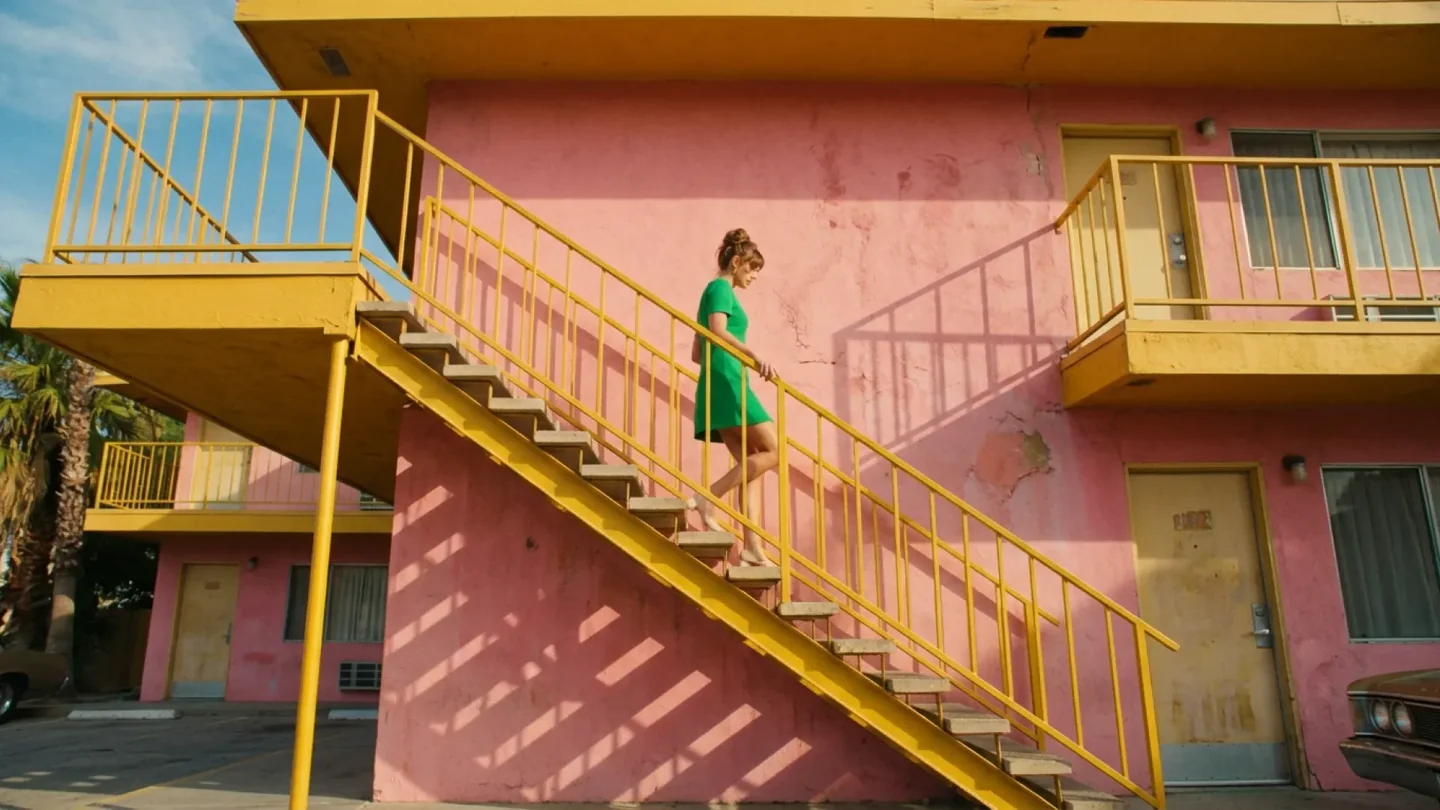
A green dress, yellow stairs, and a pink motel become a cohesive scene with a defined palette and natural afternoon light.
Key features of Nano Banana 2.1
See how reference images guide product scenes, character compositions, and local edits in these official Google DeepMind examples.
One product, a whole campaign
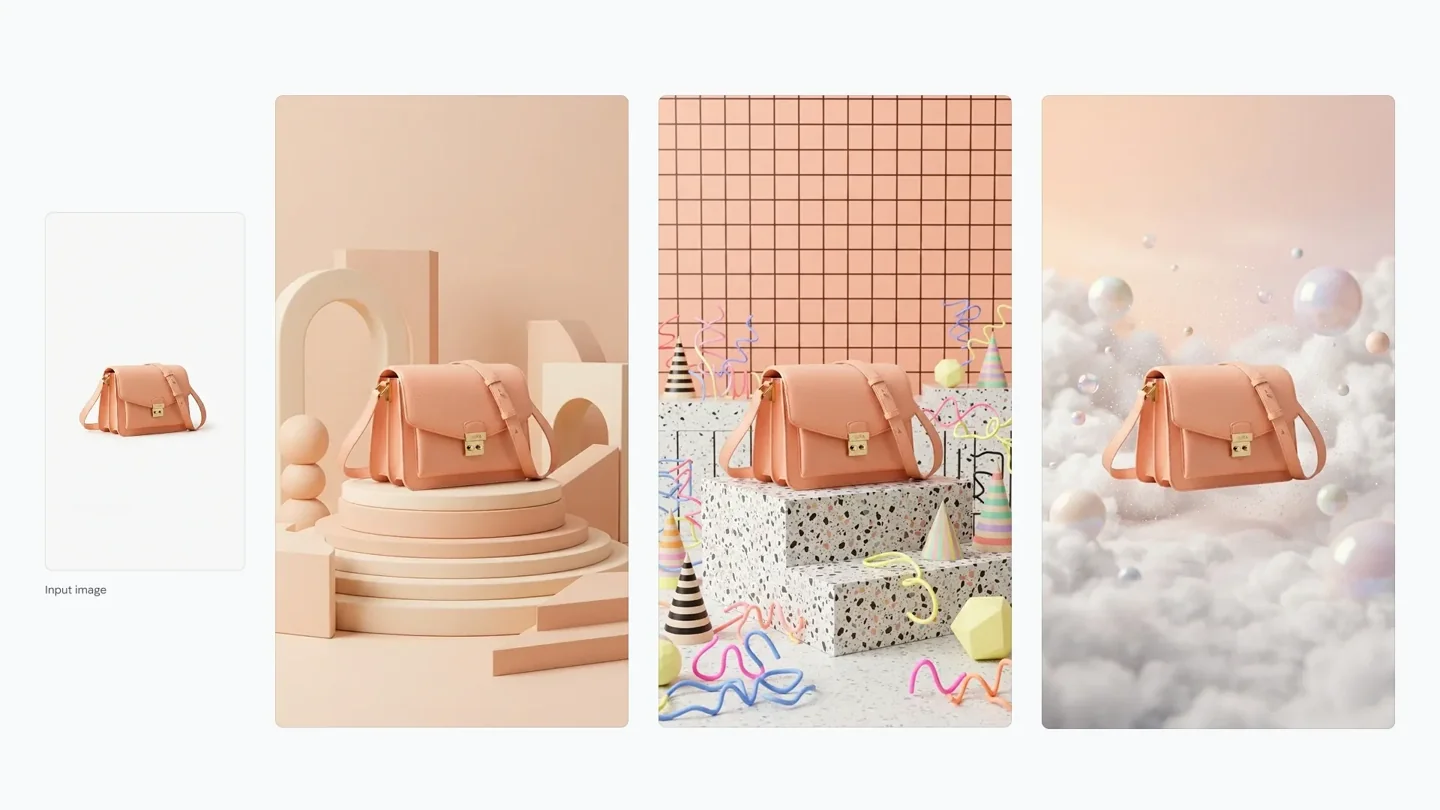
A reference photograph of a peach shoulder bag becomes three styled product scenes. New backdrops, surfaces, and lighting give each image its own mood while keeping the bag recognizable. This official example shows how Nano Banana 2.1 can help carry a product through a coordinated campaign.
Use a clear reference to guide the product’s shape, color, and material.
Change the setting and lighting for different campaign directions.
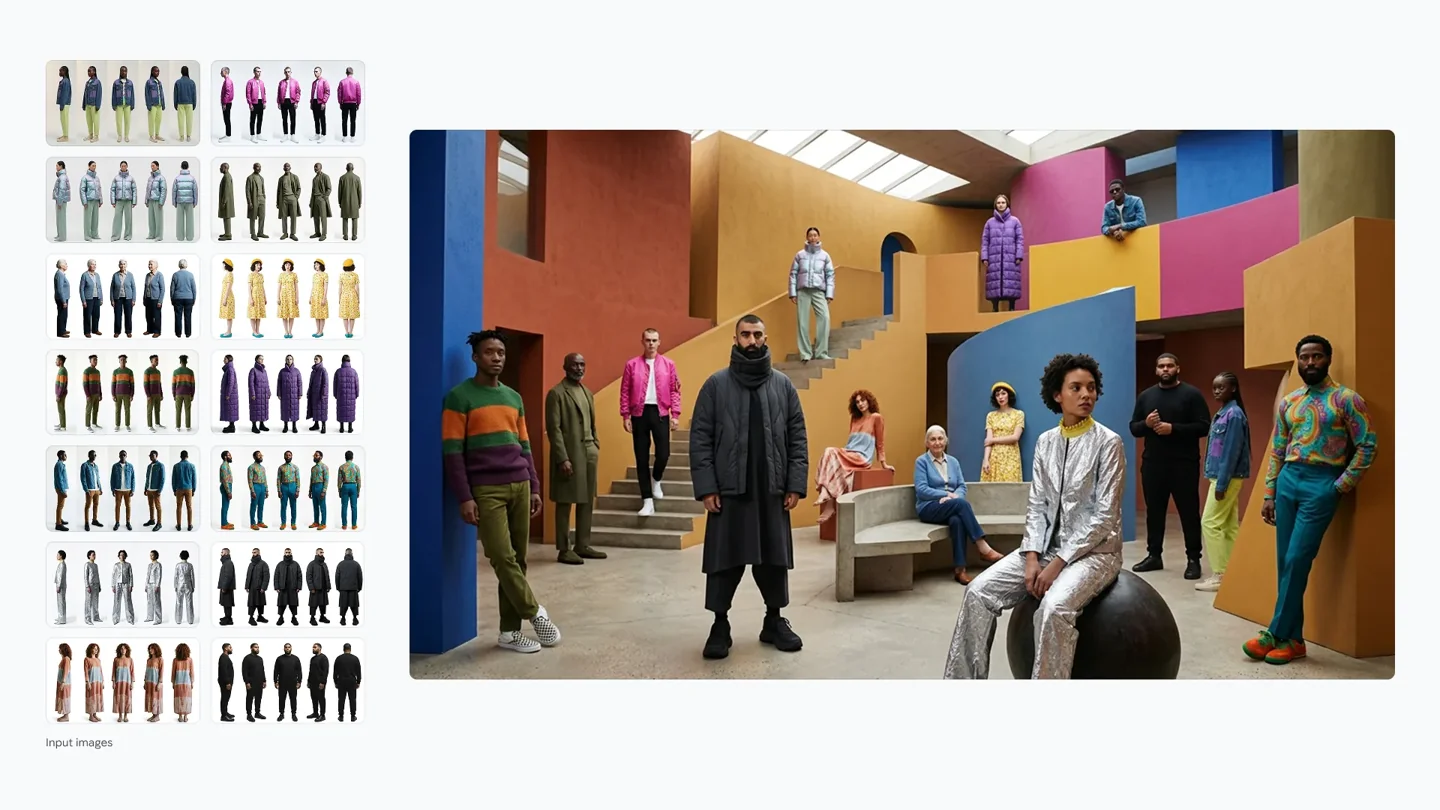
Individual fashion references become a shared editorial composition. Nano Banana 2.1 uses the input images to guide recognizable people and outfits while creating a new setting and arrangement. Review faces, clothing, and small details when combining several subjects.
Provide a distinct reference for each person in the composition.
Describe placement, shared lighting, and the overall scene.
Explore campaign visuals, product photography, and detailed image concepts with a brief you can keep refining.
Campaigns with a clear visual message
Build a poster around a subject, a short headline, and a defined visual hierarchy. Specify the words, composition, and color palette, then use a reference to refine the layout. Check small text and spelling before putting the image into a campaign.
Use a product photo to explore new backgrounds, materials, and lighting. Keep the features that identify the product in your instructions, then make focused changes to the setting. A coordinated set of visuals can support a product page, social launch, or seasonal campaign.
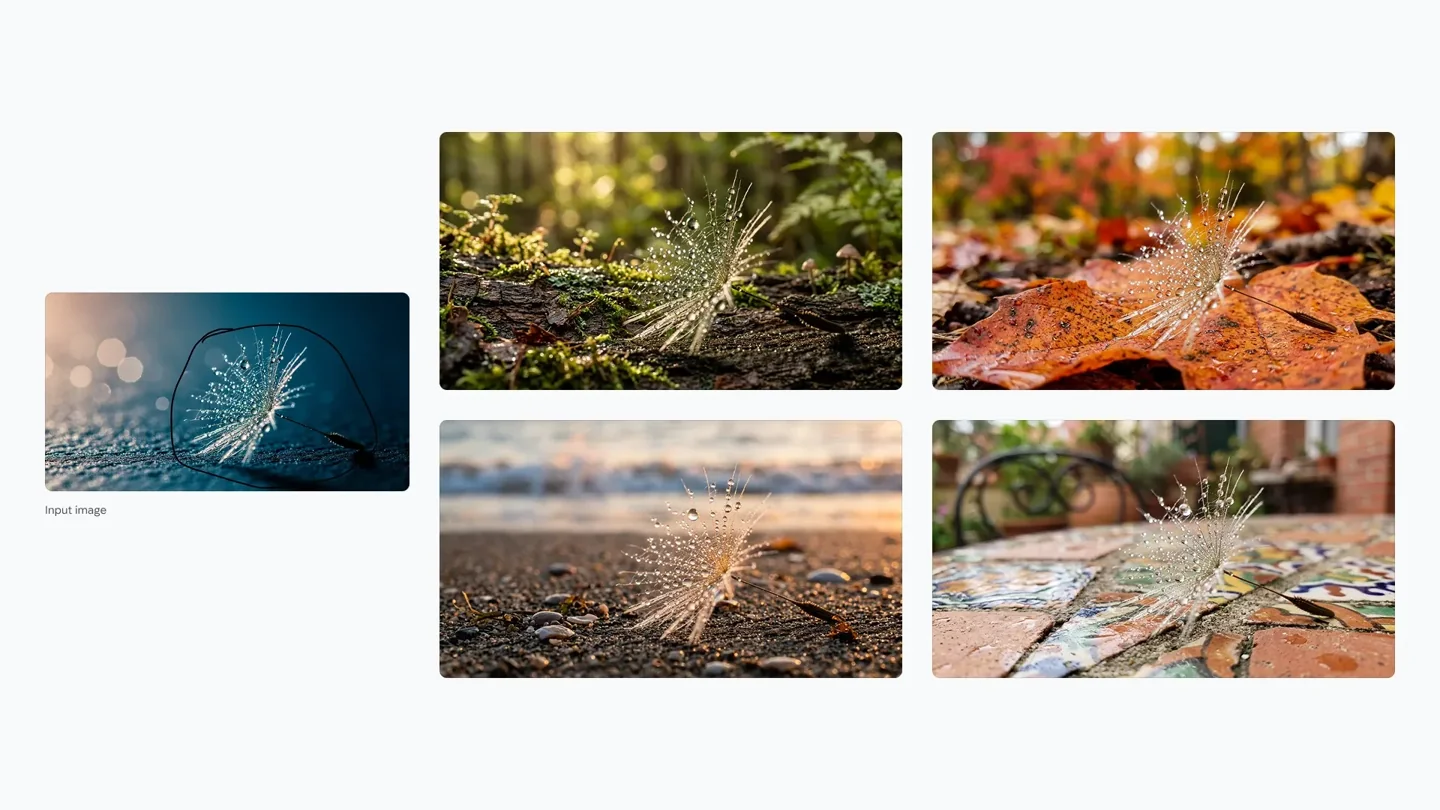
Describe the material, camera distance, and lighting to explore a detailed visual idea. Nano Banana 2.1 supports output up to 4K, with room to inspect delicate textures and refine the result for editorial or creative work.
Nano Banana Pro is the Gemini 3 Pro Image model. Use it for image creation and reference-based edits, and compare results against the same creative brief when choosing a model.
Generate and edit from a detailed visual brief.
Use references to guide characters, products, and style.
Google’s published evaluations show improvements across generation, character consistency, and image editing.
Official evaluation
Nano Banana 2
Nano Banana 2.1
Image generation preference
990 ± 7
1050 ± 14
General image editing
938 ± 11
1026 ± 12
Multi-character consistency
978 ± 10
1106 ± 14
Mask / sketch editing
965 ± 12
1049 ± 15
Source: Google’s October 2026 model card. Nano Banana 2.1 and Nano Banana 2 use Thinking configurations. Values include the reported uncertainty; these are Google’s evaluations, not independent tests by Vuppo. Read the model card
Nano Banana 2.1 FAQ
What is Nano Banana 2.1?
Nano Banana 2.1 is Google’s AI model for creating and editing images. It supports output up to 4K and uses your written instructions and reference photos to guide the result. You can create a new scene, change an existing photo, or develop a series around the same product or character.
What can I create with Nano Banana 2.1 on Vuppo?
On Vuppo, you can create product scenes, portraits, social posts, posters, and illustrations. Start with a description or upload photos to change a background, explore an outfit, or try a different art style. Set the aspect ratio, resolution, and image count in the studio, then save or refine your results.
How can I get better results with reference images?
Add up to 14 reference images. Choose sharp, well-lit photos and include useful angles of the person or product. Explain the role of each image, such as the subject, clothing, background, or visual style. Name the details you want to keep, and avoid references that give conflicting directions.
What has improved since Nano Banana 2?
Nano Banana 2.1 improves visual design, image detail, and how closely edits follow your instructions. Google also reports stronger consistency for people and products, including work guided by several references. These improvements can help when refining a scene or building related images around a shared subject.
How should I write prompts for Nano Banana 2.1?
Describe what the image is for, then specify the subject, setting, lighting, composition, and style. Put any text you want in the image in quotation marks. For an edit, say what to change and what to preserve. Make one focused adjustment at a time, such as changing the background while keeping the product and camera angle.
Your next image starts with Nano Banana 2.1
Describe your idea, add reference images, and create with Nano Banana 2.1 in the image studio.